NS3 simulation
Installation
this part will be supplemented soon.
Build and setup
this part will be supplemented soon.
Simulation study first part
build our own script “first.cc”
1 |
|
then we run the build command, in the terminal
1 | ./ns3 build |
then run the exec file
1 | ./ns3 run scratch/first |
or we can also use the clion to build and run the script, more convenient.
There are two ways starting our logging modules.
In our script we can see
1 | LogComponentEnable("UdpEchoClientApplication", LOG_LEVEL_ALL); |
this will give the log of the class “UdpEchoClientHelper” and “UdpEchoServerApplication”.
Other than this method, we can also use environment variable settings, to set
1 | export 'NS_LOG=UdpEchoClientApplication=level_all' |
In the output we can see all the logs, but there is a question, like this

what can we determine the source of the log, where is it from?
so we should improve the form of the log printed, using
1 | export 'NS_LOG=UdpEchoClientApplication=level_all|prefix_func' |
this time, shell is the only way.
1 | UdpEchoServerApplication:UdpEchoServer(0x60000215ebc0) |
we can also add the log of server functions, like this
1 | export 'NS_LOG=UdpEchoClientApplication=level_all|prefix_func:UdpEchoServerApplication=level_all|prefix_func' |
using single colon to seperate the two parts.
It is also sometimes useful to be able to see the simulation time at which a log message is generated. You can do this by ORing in the prefix_time bit.
1 | export 'NS_LOG=UdpEchoClientApplication=level_all|prefix_func|prefix_time: |
then the output would be
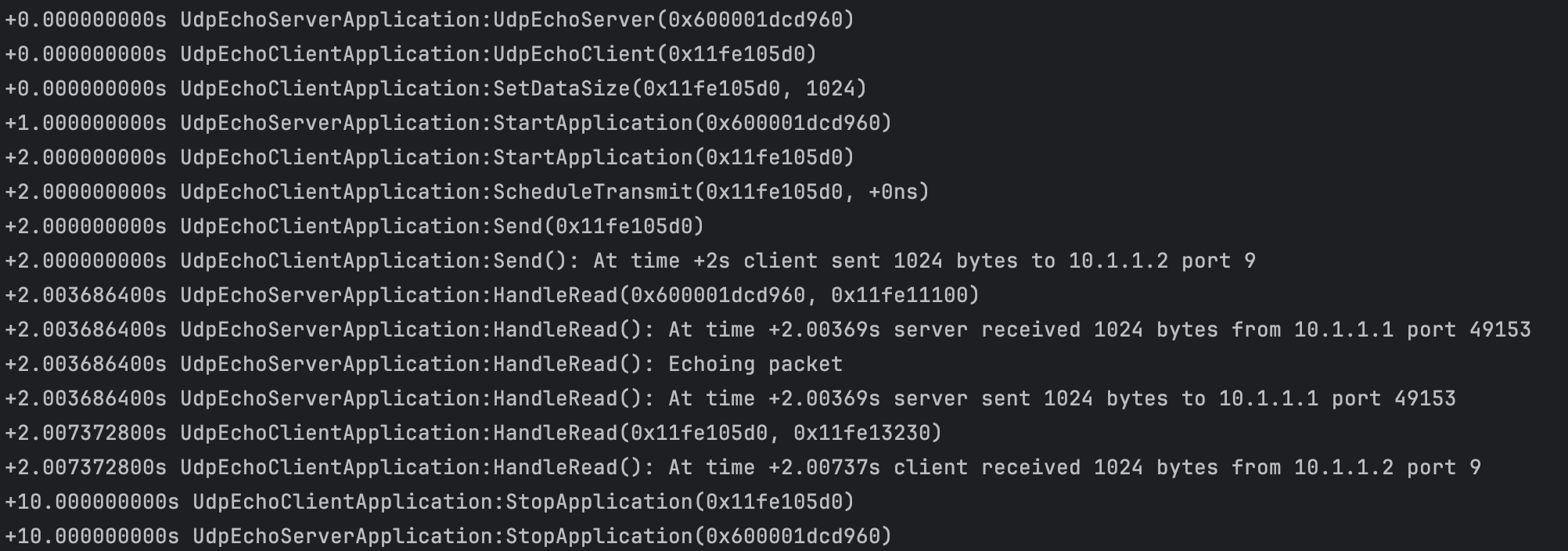
some things may also be covered that you can not see, so you can enable all of the logging components,
1 | export 'NS_LOG=*=level_all|prefix_func|prefix_time' |
And you can write logs generated into a file
1 | ./ns3 run scratch/first > log.out 2>&1 |
Notice: shell environment’s level is higher than the Log level set in the script. For example, if you use
1 | NS_LOG_COMPONENT_DEFINE("FirstScriptExample"); |
in the script, and also add
1 | NS_LOG_INFO("Creating Topology"); |
before
1 | NodeContainer nodes; |
and at the same time use
1 | export NS_LOG="" |
then you will not see the “Creating Topology”. But if you use
1 | export NS_LOG=FirstScriptExample=info |
to emphasize the FirstSctiptExample and “info”, you will see

in the log.
Command line arguments
Overriding default attributes
We can change the behavior of the script by “command line arguments“. There is a method parsing command line arguments and automatically set local and global variables based on those arguments.
1 | int |
For example,
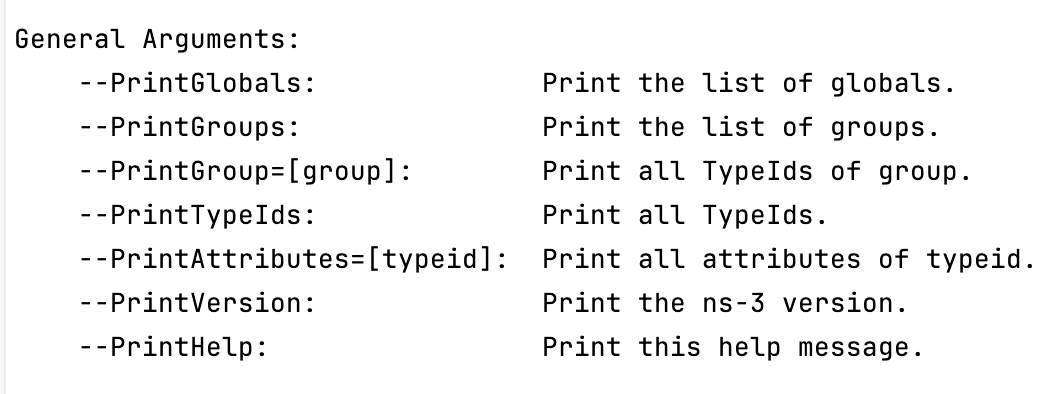
1 | ./ns3 run "scratch/first --PrintHelp" |
will print the help content like
Recall the attributes we set previously
1 | PointToPointHelper pointToPoint; |
So we can use parsing command line to print these attributes, by
1 | ./ns3 run "scratch/first --PrintAttributes=ns3::PointToPointNetDevice" |
Namely point at the “PointToPointNetDevice”. Seeing the output, you will find

This is the default value that will be used when a PointToPointNetDevice is created in the system. We override the default using SetDeviceAttribute and SetChannelAttribute. So if we want to use the default value, we should delete the SetDeviceAttribute and SetChannelAttribute, just
1 | NodeContainer nodes; |
We can also set these attributes through the command line.
1 | ./ns3 run "scratch/first |
However if we desire to set the speed-of-light delay of the channel, we can run
1 | ./ns3 run "scratch/myfirst --PrintAttributes=ns3::PointToPointChannel" |
You will see the output caused by 2ms delay comes from
1 | +0.000000000s UdpEchoServerApplication:UdpEchoServer(0x1df20f0) |
from 2s to 2.00369s
We can complete the whole settings,
1 | ./ns3 run "scratch/myfirst |
A question is how to learn about all of these attributes, we can use “PrintGroups” to list the attributes of the corresponding module.
1 | ./ns3 run "scratch/myfirst --PrintGroup=PointToPoint" |
Another way to find the attributes’ names is to search in the NS3-Doxygen.
Hooking Your Own Values
We can add our own hooks to the command line system, using the Addvalue method to the command line parser.
Let’s add a local variable called nPackets to the main function.
1 | int |
Because previously we set 1 of the number of packets.
1 | echoClient.SetAttribute("MaxPackets", UintegerValue(nPackets)); |
then
1 | ./ns3 build |
In the output, you should see your new User Argument listed in the help display.
1 | Program Options: |
If you want to specify the number of packets to do, now you can do so by setting the —nPackets in the command line.
1 | ./ns3 run "scratch/myfirst --nPackets=2" |
 wechat